Job search
ChatGPT vs. a Job Search App: When Is Another Tool Worth It?
Already using ChatGPT for your job search? See what another tool would take off your hands, what you'd still manage, and when it's worth paying.
Theophilus OyetiNov 5, 2026
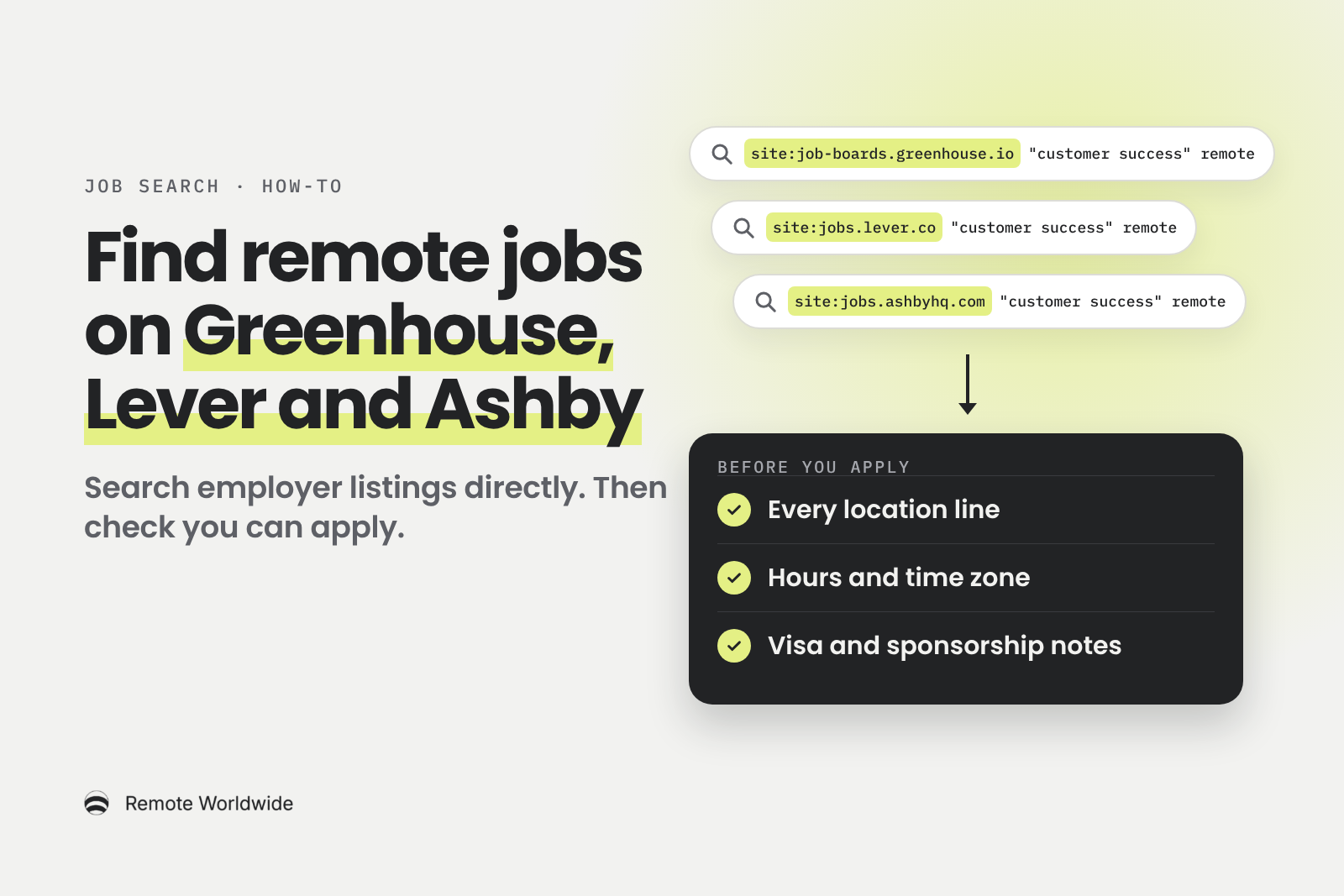
Search Greenhouse, Lever and Ashby job pages directly, then check whether you can actually apply before you spend time on the application.
You check three job boards and see the same twenty vacancies on each. Many of those companies also post on their own careers pages, and a large share of those pages run on three applicant tracking systems: Greenhouse, Lever and Ashby. (An applicant tracking system, or ATS, is the software a company uses to post jobs and manage applicants.)
Because these pages sit on shared domains, one search can cover many employers at once. Paste this into Google:
site:job-boards.greenhouse.io "customer success" remote
You get customer success openings hosted on Greenhouse that mention "remote". Below: the same search on Lever and Ashby, how to tighten or loosen it, and how to check whether you can actually apply.
You're finding the employer's own public listing. You still apply through their form, and the same team reads your application. This won't reveal private vacancies or get you special treatment. A careers page is a job board too; the point is to stop depending only on the large third-party boards.
Keep the role the same and change only the domain:
site:job-boards.greenhouse.io "customer success" remote

site:jobs.lever.co "customer success" remote

site:jobs.ashbyhq.com "customer success" remote
Each search reaches a different set of employers: the ones whose job pages that platform hosts. Swap "customer success" for your own role, such as "product designer" or "software engineer".
Three operators do the work, as described in Google's search operator guide:
site: limits results to one domain. Put no space after the colon: site:jobs.lever.co works, site: jobs.lever.co doesn't.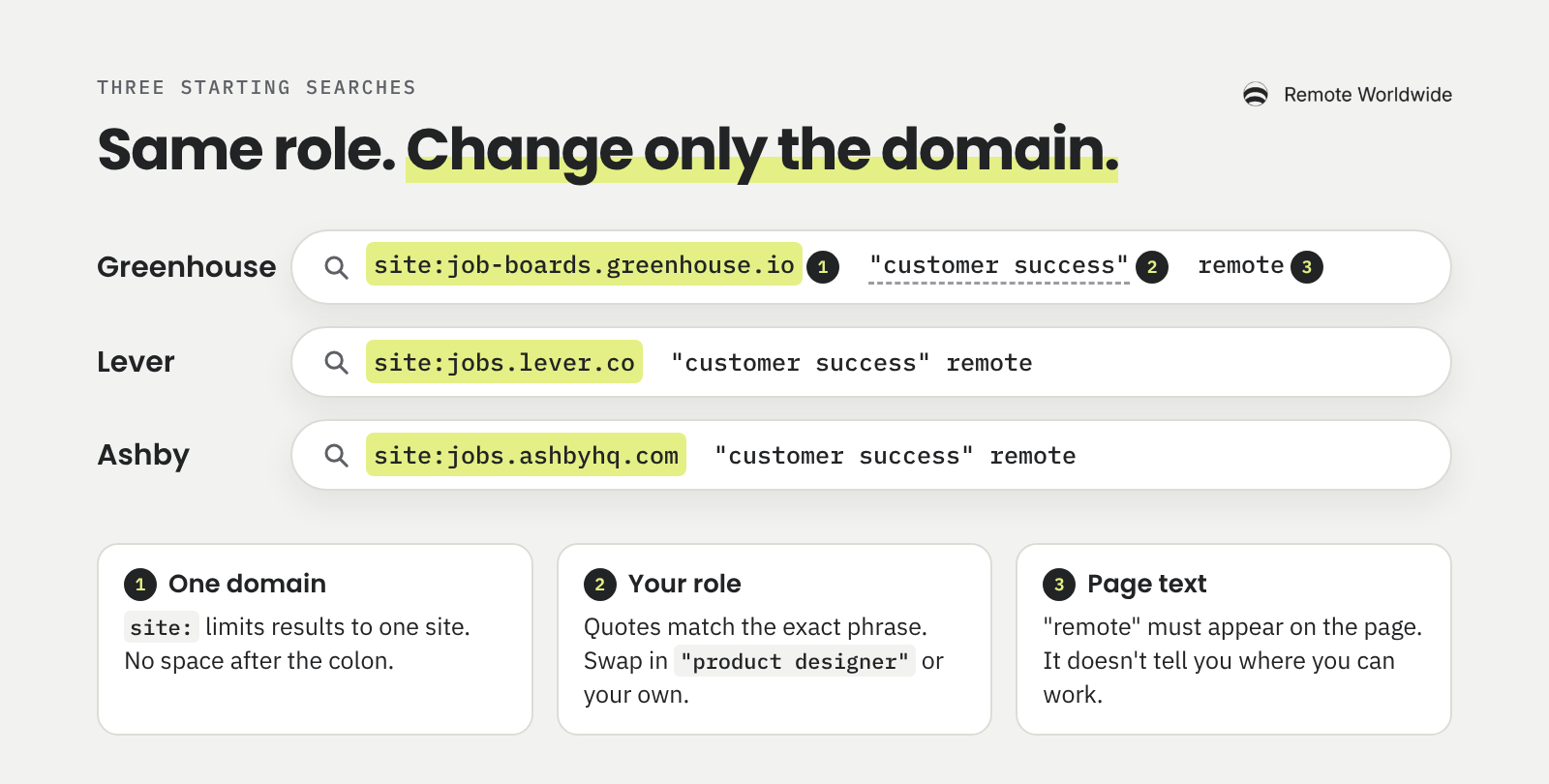
Greenhouse jobs appear on more than one hostname. Current postings use job-boards.greenhouse.io, while Greenhouse's article on hosted job boards gives boards.greenhouse.io as the root. Run both:
site:boards.greenhouse.io "customer success" remote
Neither covers every Greenhouse employer. Some companies show their jobs on their own website instead, where a site: search on Greenhouse domains won't reach them.
When a result looks promising, click "Back to jobs" at the top of the posting. You'll see the company's other openings, and one relevant result often leads to two or three more.
Greenhouse also runs MyGreenhouse Jobs, a candidate portal for browsing and searching roles across participating employers and tracking the applications you've submitted. You still apply on the employer's board, and only employers that opt in appear. Use it when you want tidy browsing and your Greenhouse applications in one place. Use a search query when you want to combine terms freely or see employers that haven't opted in.
Lever hosts each company's jobs at jobs.lever.co/companyname, according to Lever's postings documentation. A posting URL adds an ID after the company name. To see everything else that employer has open, delete the ID, or click the company logo at the top of the posting.
Lever also runs an EU instance at jobs.eu.lever.co, so add a second search:
site:jobs.lever.co "customer success" remote
That domain is about where the employer's Lever account runs. It says nothing about where you're allowed to work.
Read a Lever header closely. It shows a location, a team, a commitment and often a workplace label, and they can disagree. A goFluent Account Manager posting, checked on 9 November 2026, listed "San Francisco, CA" as its location and "Remote" as its workplace type, with nothing in the description about where the hire could live. That's neither a yes nor a skip. It's a question to ask before you spend an hour on the application.
Stay on top of it
A board for every application, follow-up reminders, and a streak that keeps the search moving.
Track my applicationsAshby hosts boards at jobs.ashbyhq.com/companyname, as its job posting documentation shows. Each posting has an overview and an Application tab, so you can look at the form before you commit.
Ashby separates location from workplace type, which can be Remote, Hybrid or On-site. A search hit on "remote" doesn't mean the role is fully remote, so check that line.
A posting can also list several locations. Ashby's own Mid Market Account Executive – EMEA (French Speaking) role, checked on 9 November 2026, had "EMEA" in the title. Its location data named France plus seven other European countries, and the description asked for French fluency. In a title, "EMEA" usually names a sales or support region. It doesn't promise that all of Europe, the Middle East and Africa qualifies.
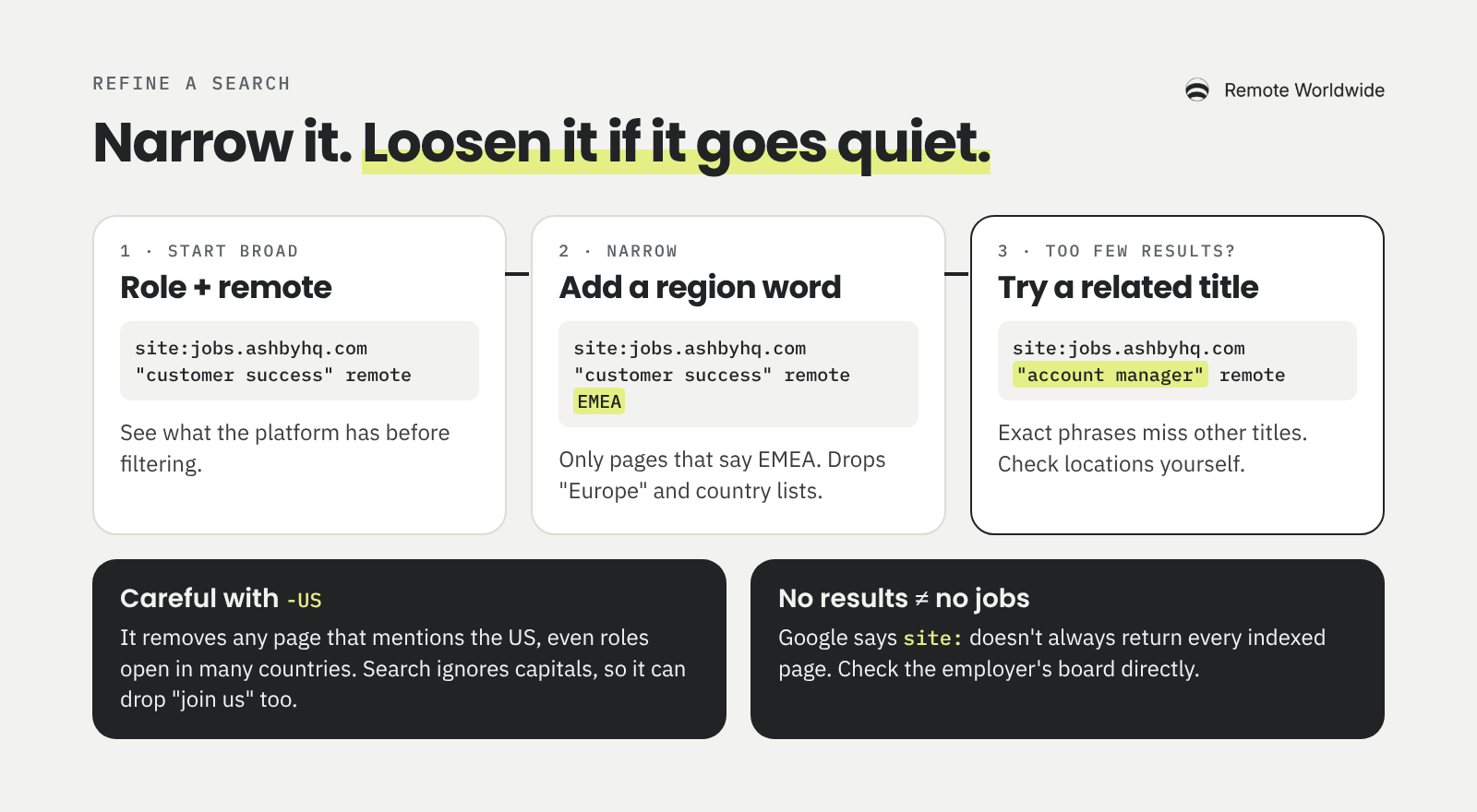
Start broad, then narrow:
site:jobs.ashbyhq.com "customer success" remote

site:jobs.ashbyhq.com "customer success" remote EMEA
The second search only returns pages that contain "EMEA". That helps if you're based in Europe or Africa, but it matches page text. It doesn't establish that you're eligible, and it drops listings that say "Europe" or name countries instead.
If narrowing leaves you with almost nothing, loosen the search rather than adding more filters:
site:jobs.ashbyhq.com "account manager" remote
Use exclusions carefully. -senior removes every page containing "senior" anywhere, including a junior role "reporting to a senior manager". And -US is not an international filter. It removes any page that mentions the US, including roles open in many countries, and because search ignores capitals, it can also remove pages that say "join us".
Expect gaps. Google notes that site: doesn't necessarily return every indexed URL. No results doesn't prove no jobs exist; check the employer's board or search again later.
You can add after:2026-10-01 to limit results by date, but Google describes it as documents "last updated" after that date. That isn't the vacancy's posting date, so read the listing itself.
Searching Greenhouse for customer success roles turned up a Customer Success Manager posting at Customer.io. Here's what it showed when checked on 9 November 2026. It's a dated example, so the role may have closed by the time you read this.
The heading names two regions, APAC and EMEA. The requirements name four countries: Australia, New Zealand, the United Kingdom and Ireland. They also prioritise French, Russian or Spanish speakers, and the application form says Customer.io can't offer visa sponsorship or relocation.
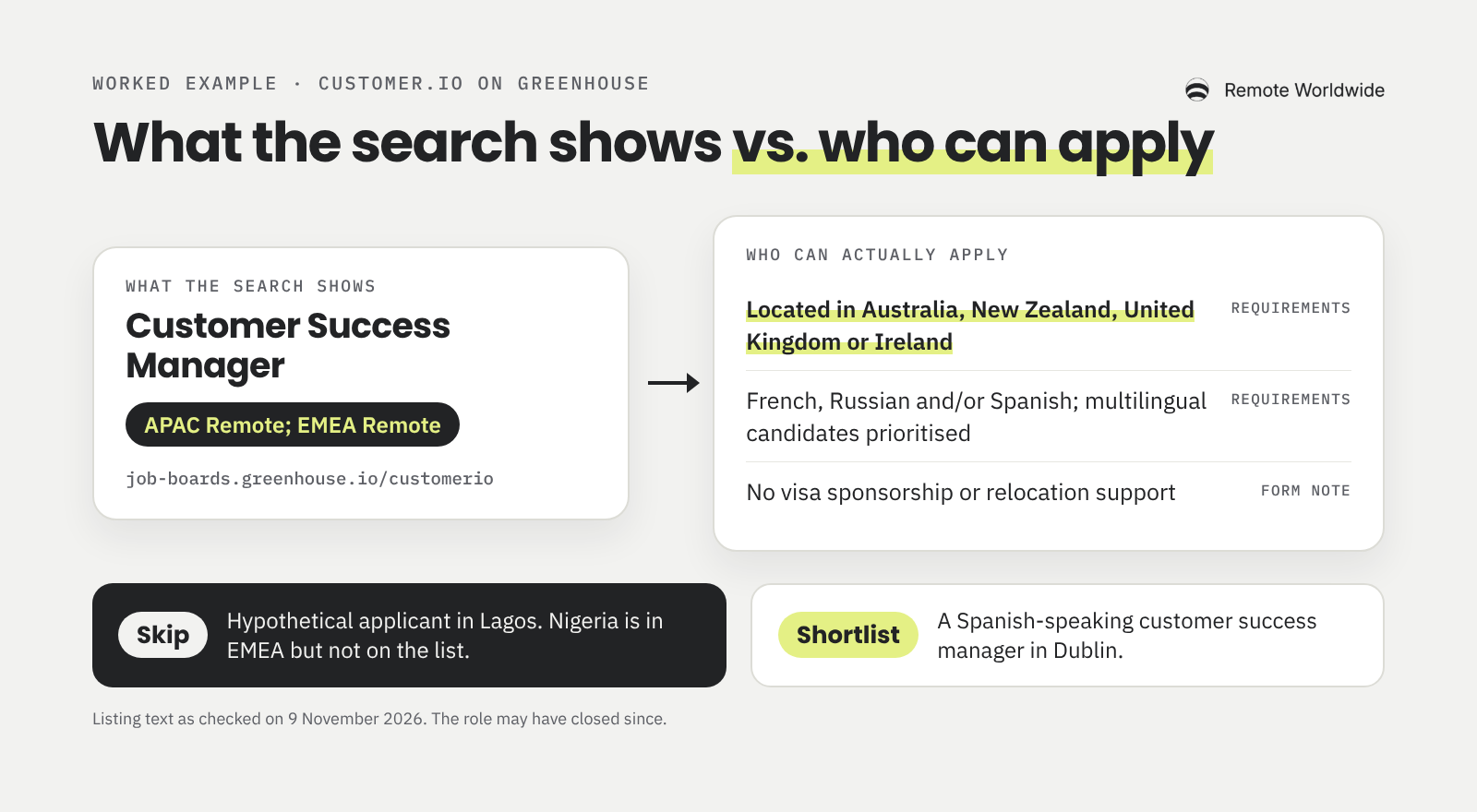
Take a hypothetical applicant in Lagos with several years of SaaS customer success experience. Nigeria is in EMEA, so the heading looks like a match. The requirements say otherwise: the role is limited to four countries, and the form rules out sponsorship and relocation. Decision: skip.
The same posting is a shortlist for a Spanish-speaking customer success manager in Dublin. And the goFluent posting above, with its conflicting location and workplace labels, is a clarify: ask one specific question through a listed contact before you apply. For example: "The posting lists San Francisco but says Remote. Is this role open to candidates based outside the US?"
Before any application, run this check:
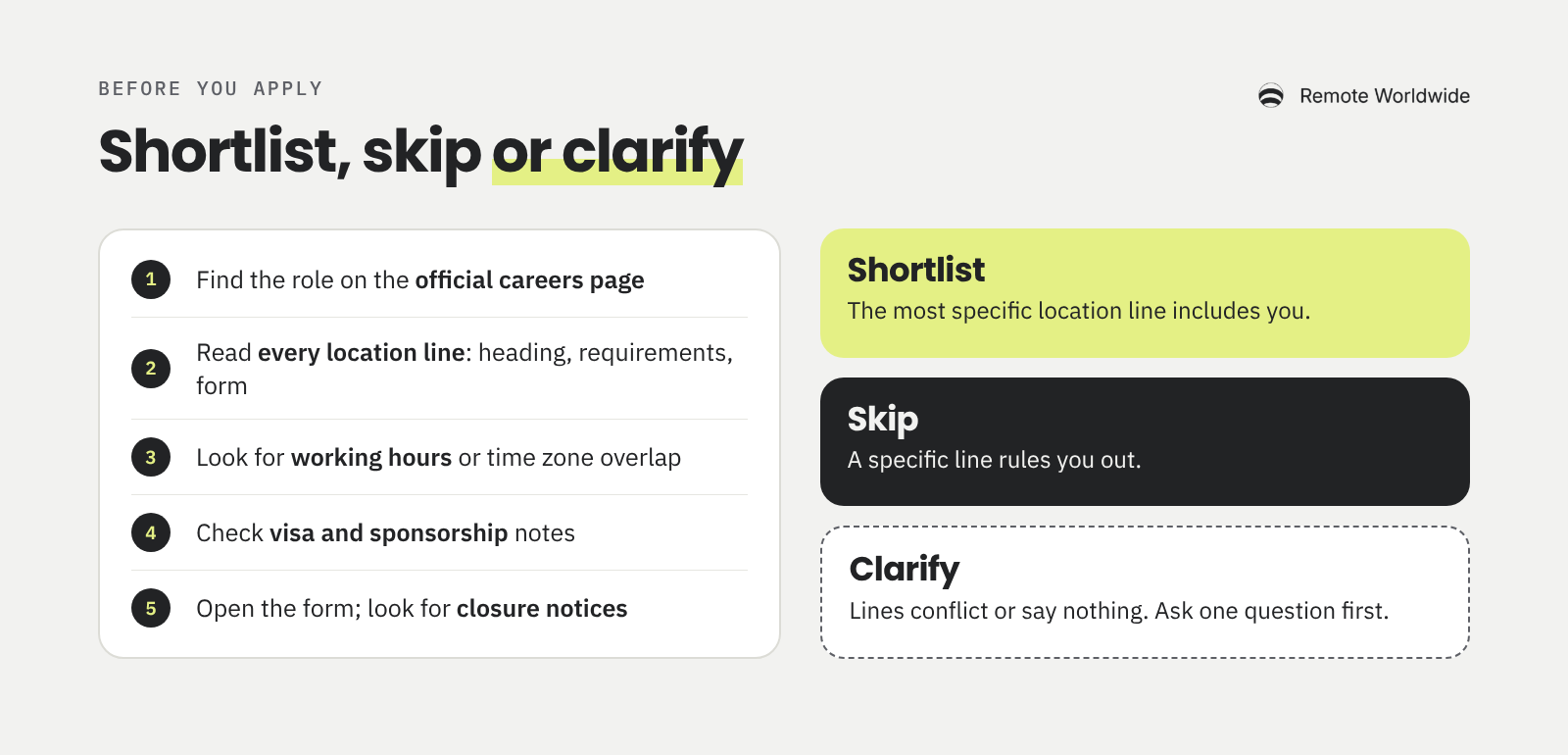
You found a suitable opening. Now keep the posting, application and next action from getting lost.
The RemoteWorldwide job application tracker lets you add a job by pasting its link or the posting itself. You move it through stages from Saved to Offer, and when an employer goes quiet for a week, a follow-up comes due with a message drafted for you to send. Importing and tracking are free.
When you apply on Greenhouse, Lever or Ashby, the RemoteWorldwide autofill extension for Chrome recognises the form and fills fields from your saved information when you press the button. Review every field, especially custom questions, then submit it yourself. The extension never submits for you. Autofill is free; AI-drafted answers use credits.
For stages and follow-up timing in more depth, read how to track job applications. And for a second source alongside your own searches, the RemoteWorldwide job board lists handpicked worldwide and regional roles, free to browse.
Found a role worth applying for? Add it to RemoteWorldwide and keep track of what happens next.
Stay on top of it
A board for every application, follow-up reminders, and a streak that keeps the search moving.
Track my applications
Already using ChatGPT for your job search? See what another tool would take off your hands, what you'd still manage, and when it's worth paying.
Theophilus OyetiNov 5, 2026
One fictional applicant, several worked answers: how to turn real experience into application answers a reader can check.
Theophilus OyetiOct 29, 2026
Several applications, several decisions: a simple tracker that tells you what to do next.
Theophilus OyetiOct 21, 2026